Coming soon to the App Store
Your office days,
tracked effortlessly.
Log from your iPhone, iPad, Apple Watch, widgets, Siri, or Shortcuts. Plan the days ahead and track them against your targets. No account needed, and you can sign in with Apple, Google, or GitHub whenever you want to sync across devices.
Join the TestFlight betaWant it today? Try the beta through Apple's TestFlight app.
- No account required
- No ads, analytics, or tracking
- iPhone, iPad & Apple Watch
Log your day
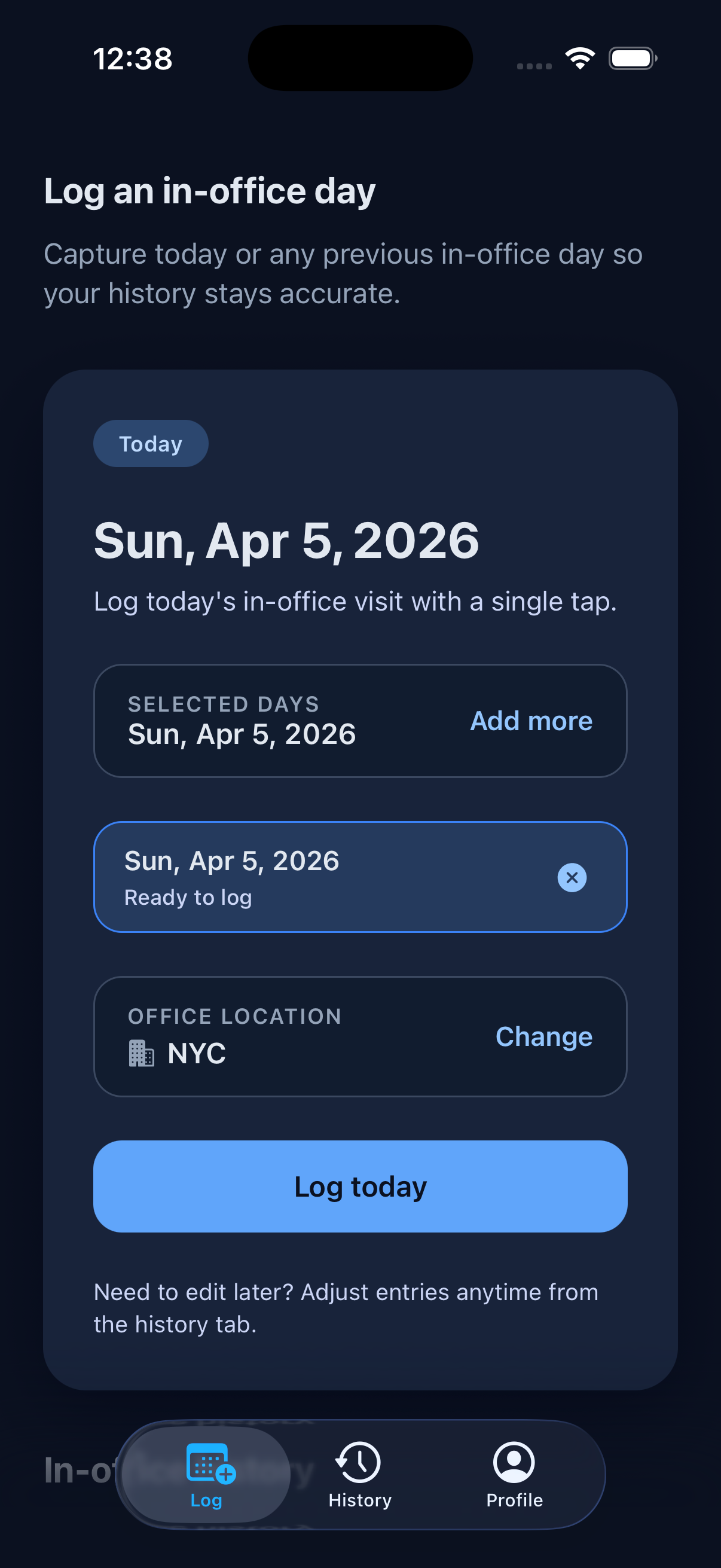
Today is already selected when you open the app, so one tap on Log today records it. Your primary office is attached automatically, and you can change it for any entry. Need to catch up? Add past days and log up to 14 at once.
Below that, a month calendar shows everything you've logged, plus progress on your saved filters, so today's tap and the bigger picture sit on one screen.
Plan the days ahead
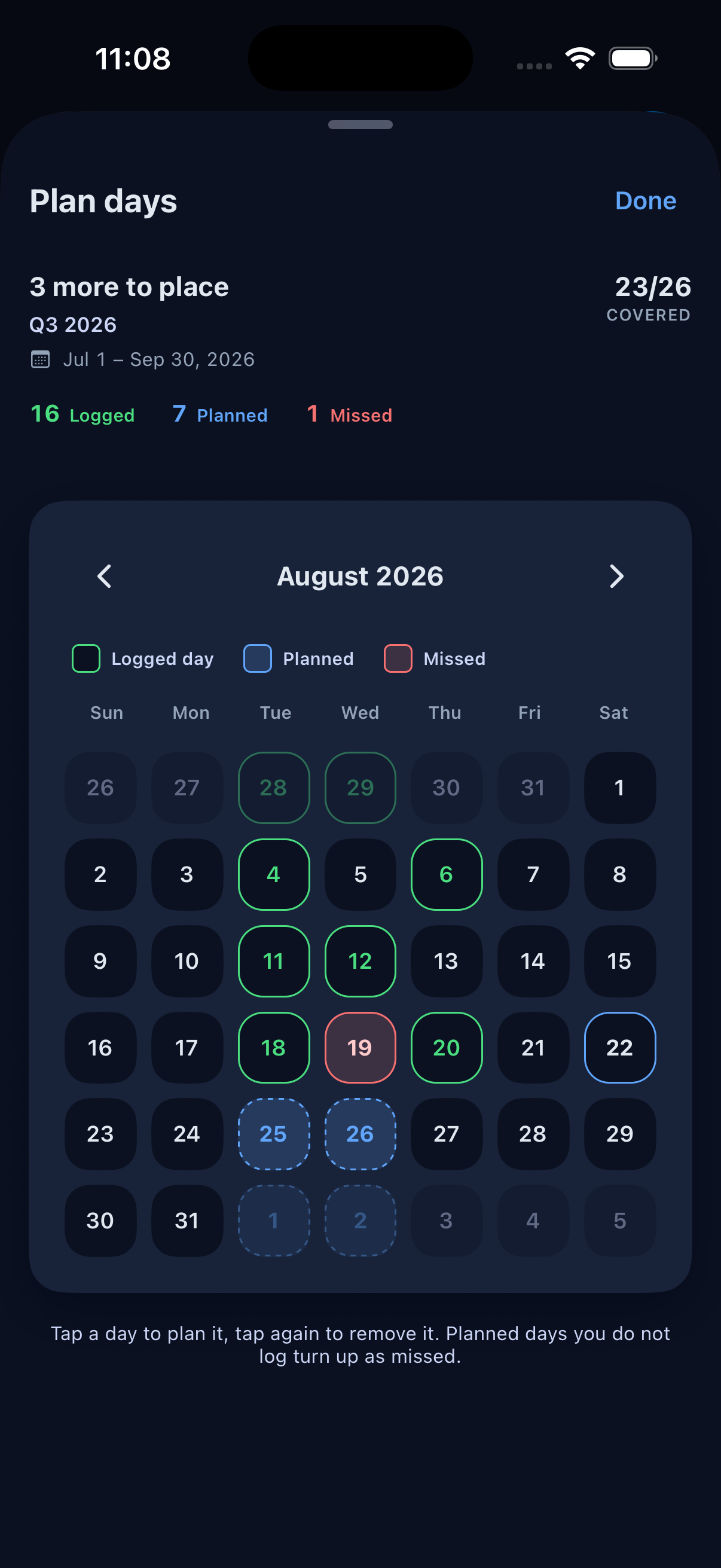
Tap the days you intend to go in on the Log tab's calendar, up to a year out. Plans live alongside your logs without becoming them: a planned day only counts as an office day once you actually log it.
Every plan reads as upcoming, kept once you log that date, or missed if the day passes without a log. Open a filter's planner and InDays shows how many days you still need to place to hit its target.
Want the target and coverage in view? Tap a saved filter's progress card, or Plan days in Saved filters, to open its planner.
Track your history
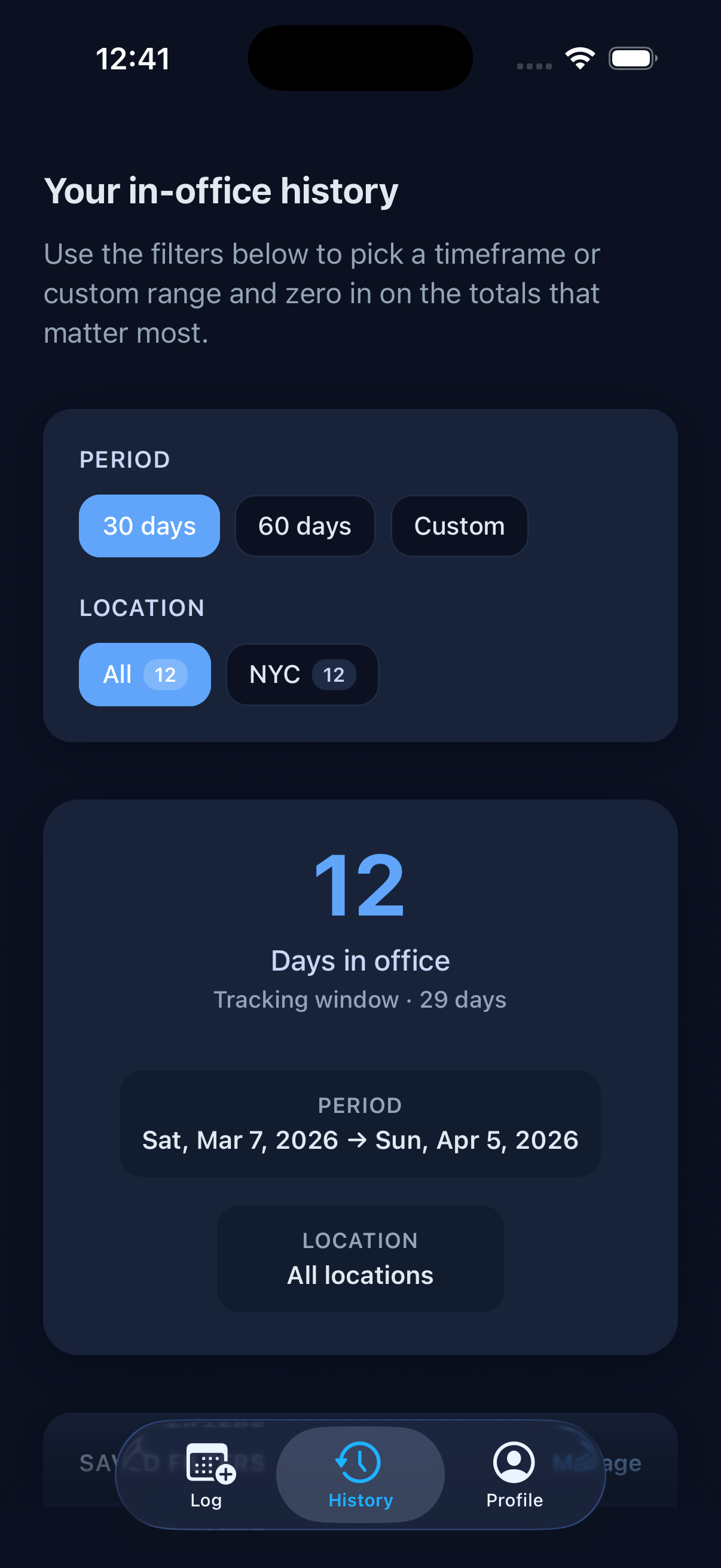
See how many days you've been in the office over the last 30 days, 60 days, all time, or a custom range. Or tap a saved filter to jump straight to it. Filter by location to compare across offices.
Got a day wrong? Open Manage logged days to change an entry's date or office, or delete it outright.
Manage office locations
Save the offices you visit most often, mark one as your primary location, and let InDays select it automatically when you log from Siri or Apple Watch.
You can keep up to five locations in your profile and change the primary office any time.
Office setup
- Save up to 5 office locations
- Pick a primary office for quick logging
- Reuse it from Siri and Apple Watch
Automate with Shortcuts
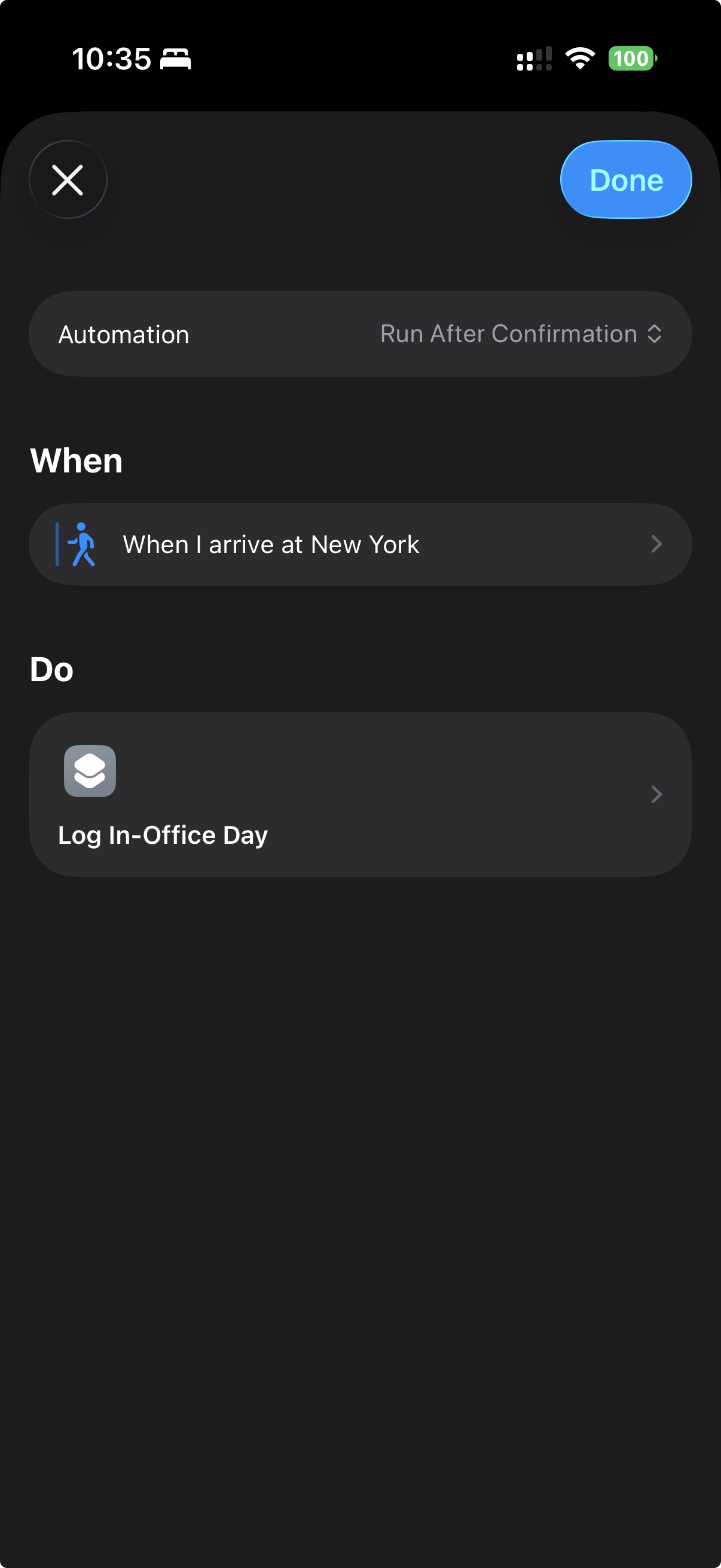
Build a Personal Automation in the Shortcuts app and add InDays' Log In-Office Day action. Trigger it when you arrive at the office, leave for the day, or whenever your routine starts.
It uses your primary office automatically, so you can turn a daily commute into a one-tap or no-tap log. InDays does not request device location permission; any arrival or departure trigger is managed by Apple's Shortcuts app.
Sync and manage your account
Use Apple, Google, or GitHub to keep your logs, locations, and filters in sync across devices. Changes sync on their own, and you can pull to refresh to sync right away. If you prefer to stay local, you can keep using the app without signing in.
From Profile → Account, you can review your sign-in method, sign out, or delete your account, synced data, and local data in one place.
Account control
- Apple, Google, or GitHub sign-in
- Sync logs, locations, and filters
- Delete your account from the app
Custom filters & goals
Save date ranges as reusable filters, start from a prebuilt range, and set a target number of in-office days. InDays tracks your progress and tells you when the goal is met.
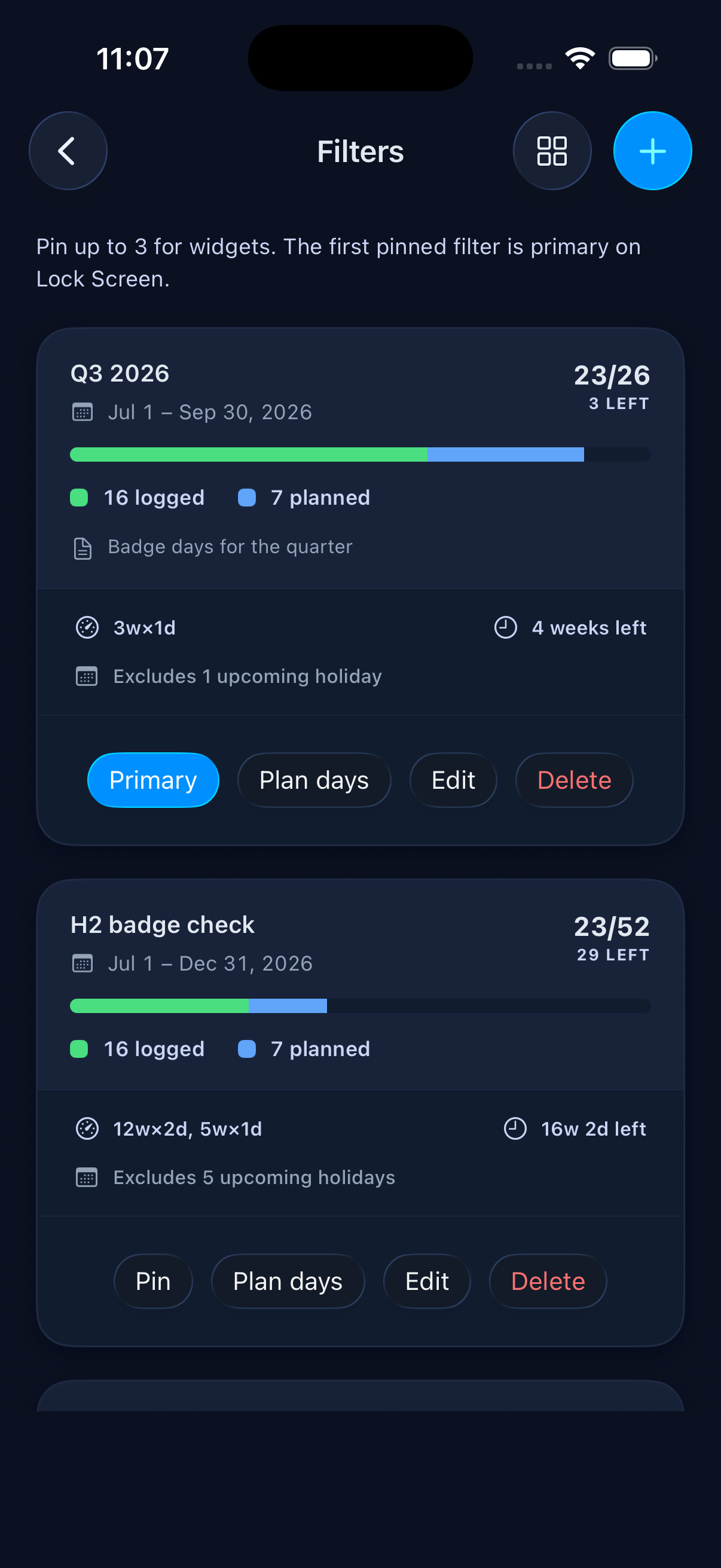
Keep up to 12 saved filters, pin 3 of them for widgets, and open any one of them in the planner to map out the days you still need.
Reminders that fit your week
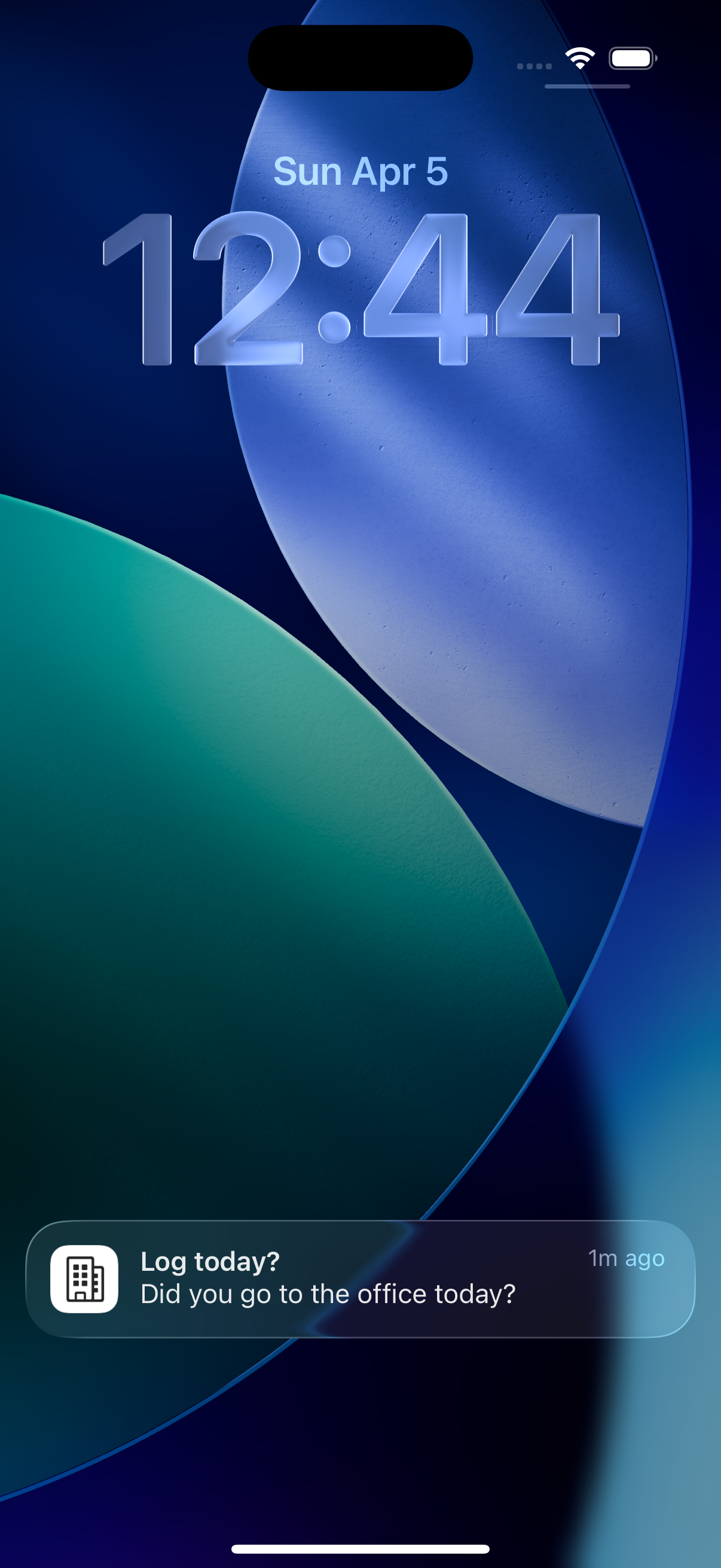
Turn on the end-of-day prompt in Profile → Reminders, pick the time, and choose which weekdays it should ask. Tap Log today straight from the notification to record the day without opening the app.
Planned a day? InDays adds a nudge the evening before, then asks again that evening if it still isn't logged. Reminders are scheduled on your device, and nothing is sent to a server.
Widgets for quick progress
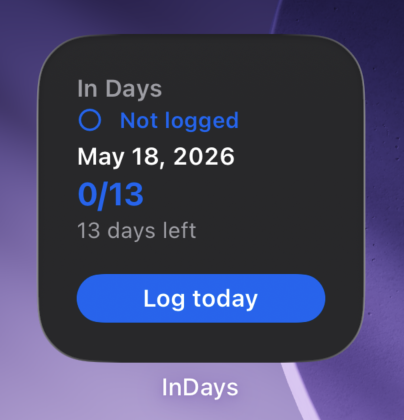
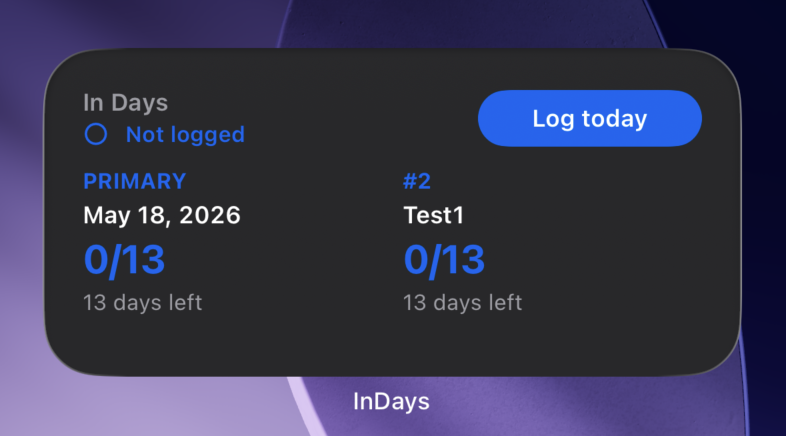
Pin up to three saved filters for widgets. The first pinned filter is primary on Lock Screen, while Home Screen widgets can show progress and log today without opening the app.
Use the compact widget for your primary goal, or the wider widget when you want to keep multiple filters visible at a glance.
Apple Watch companion
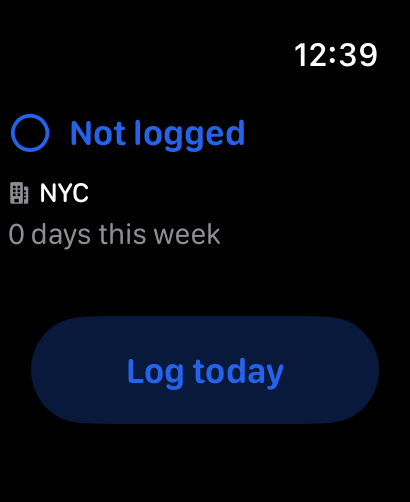
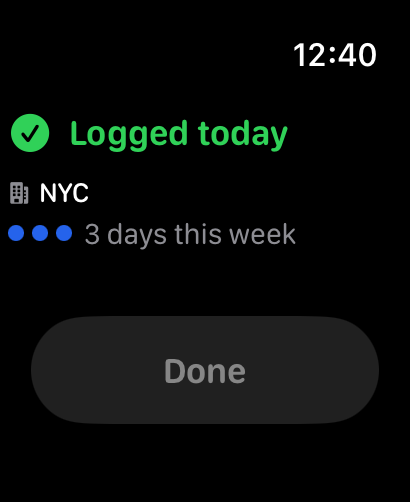
See today's status, your primary office, and this week's count at a glance. Tap to log right from your wrist, and it syncs automatically with your phone.